
 閲覧支援を閉じる
 行政放送
行政放送Acquisition and confirmation method of IOF ID (as of April 2, 2020)
Acquisition of ID is free. You can easily do it in about 5 minutes. Register your name, gender, date of birth, email address, etc.
Acquisition of ID
(1)Open the URL on the right. Create account
(2)Choose the top.
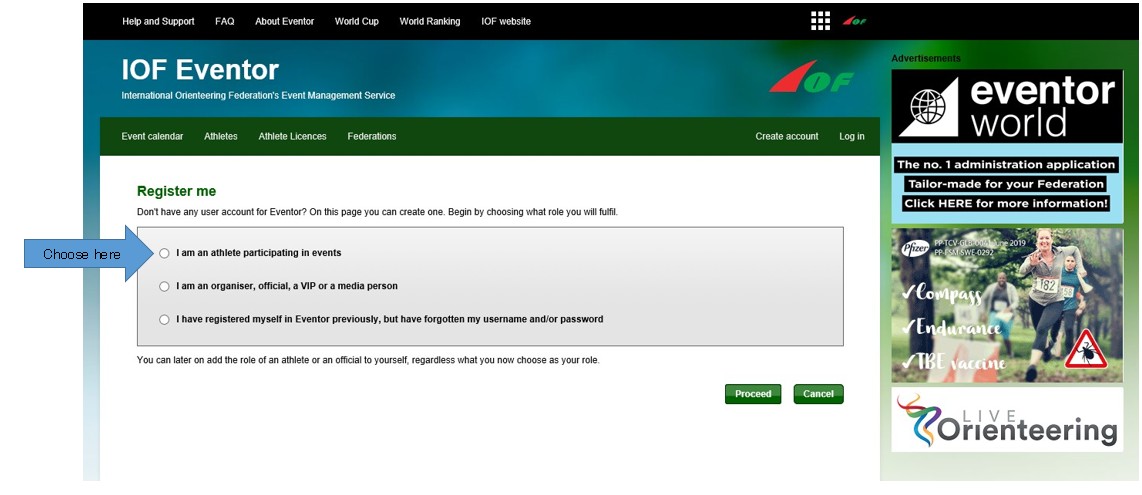
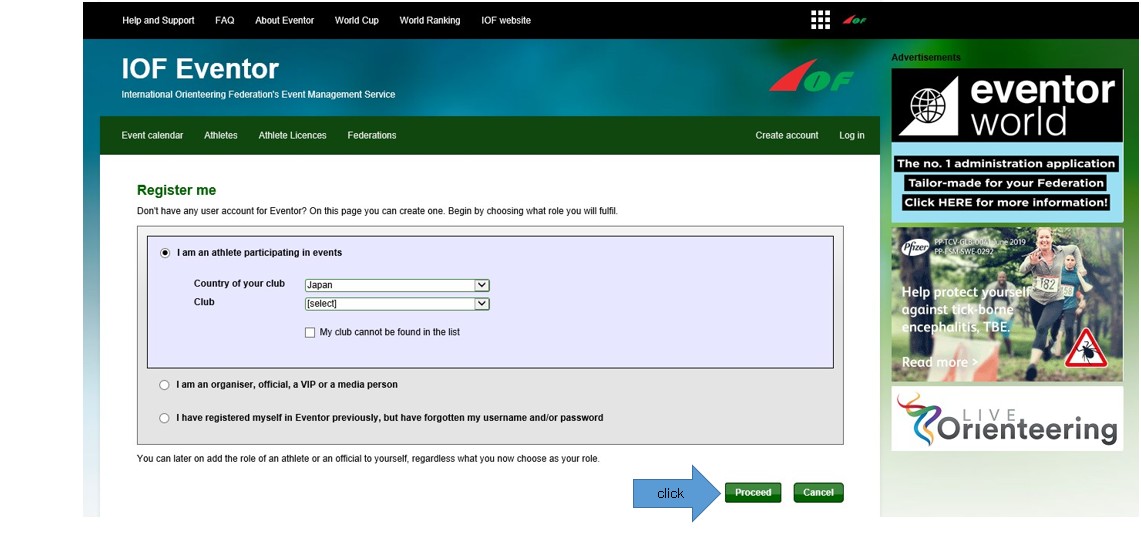
(3)“Country of your club” choose your country from the list.
"Club" chooses their club from the list.If you don't have a club, you can choose your own country.
Click “Proceed” in the lower right corner.
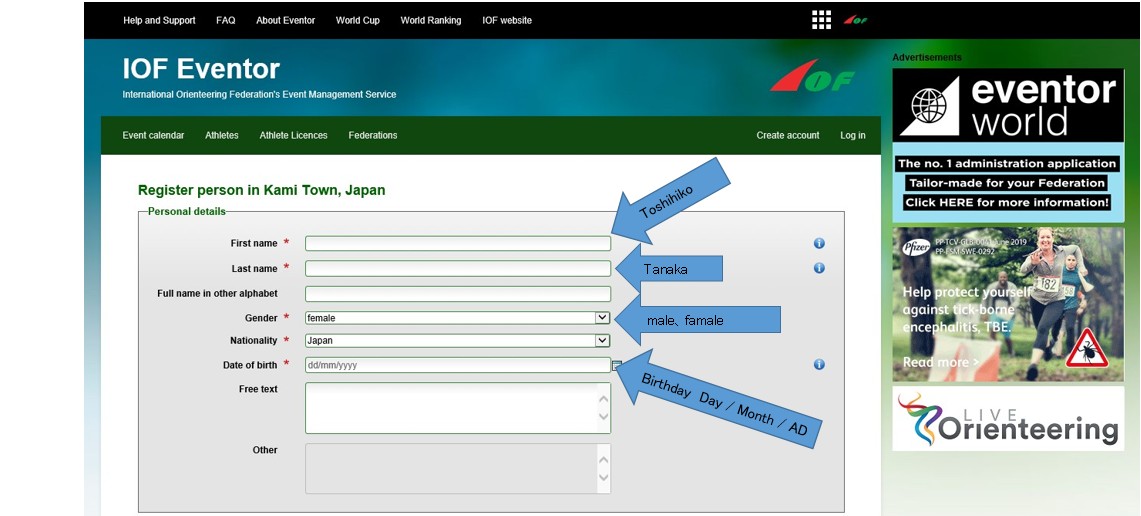
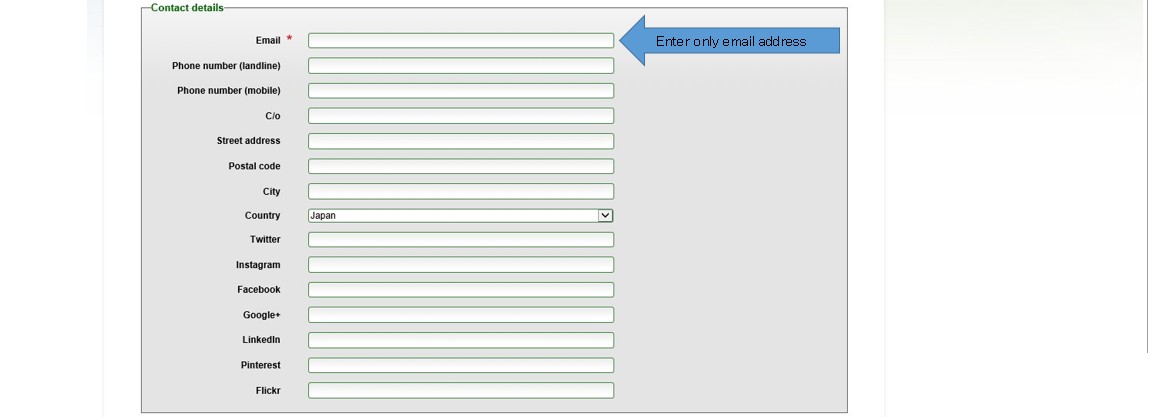
(4)Enter your personal information. (Name [first and last name], gender, date of birth, email address)
Enter your first and last name in uppercase and lowercase.
(Example: Toshihiko Tanaka) When input is completed, click "next" at the lower right.
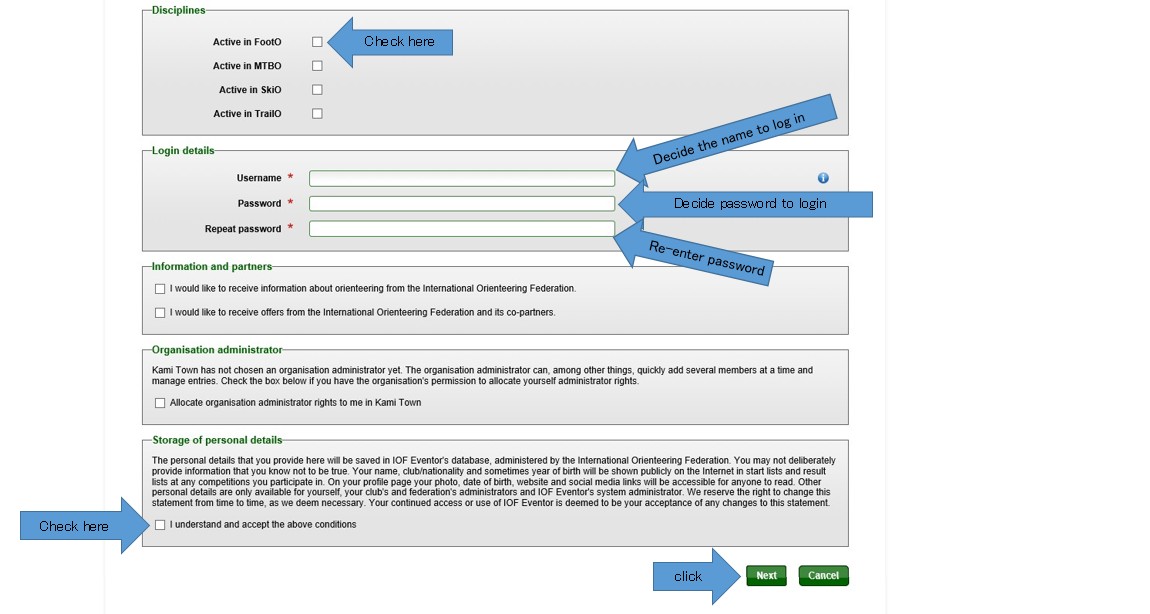
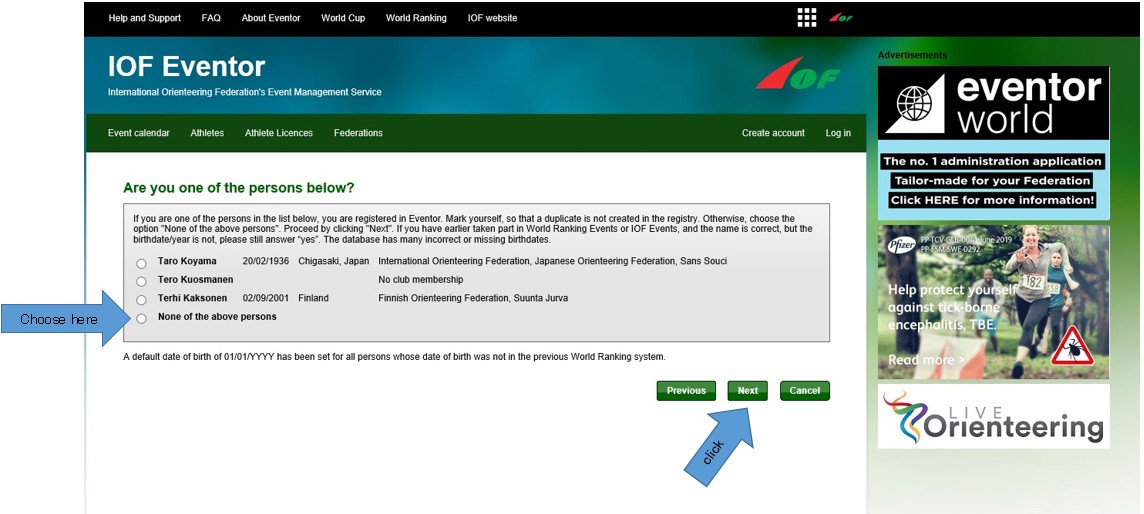
(5)You may be asked to confirm that your registration data is not duplicated.
If there are no duplicates, select "None of the above persons" and click "next".
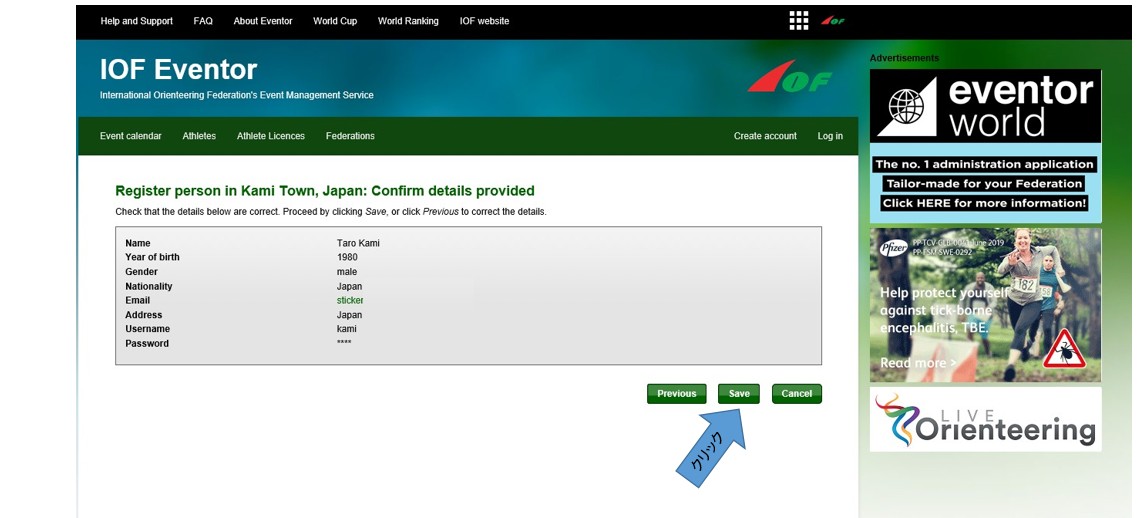
(6)Final confirmation. Click "Previous" for any corrections, and click "Save" for no corrections.
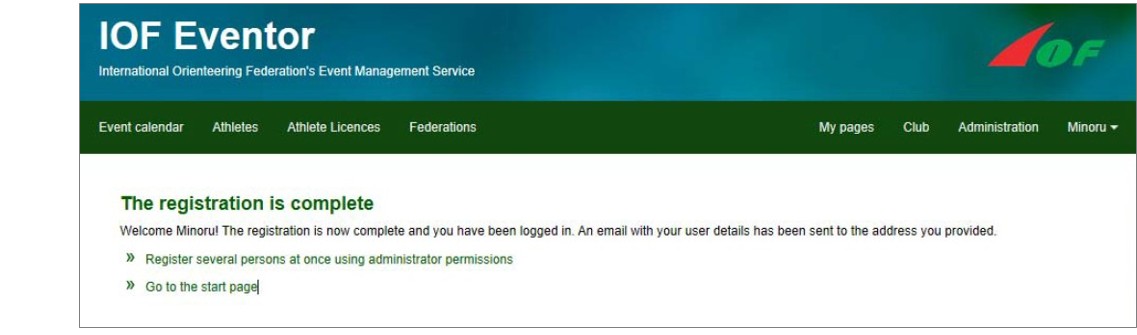
(7)If the screen below appears, registration is complete. An email will be sent to your registered email address at the same time.
Confirmation of ID
(8)Open the URL of the received mail. (9)Log in
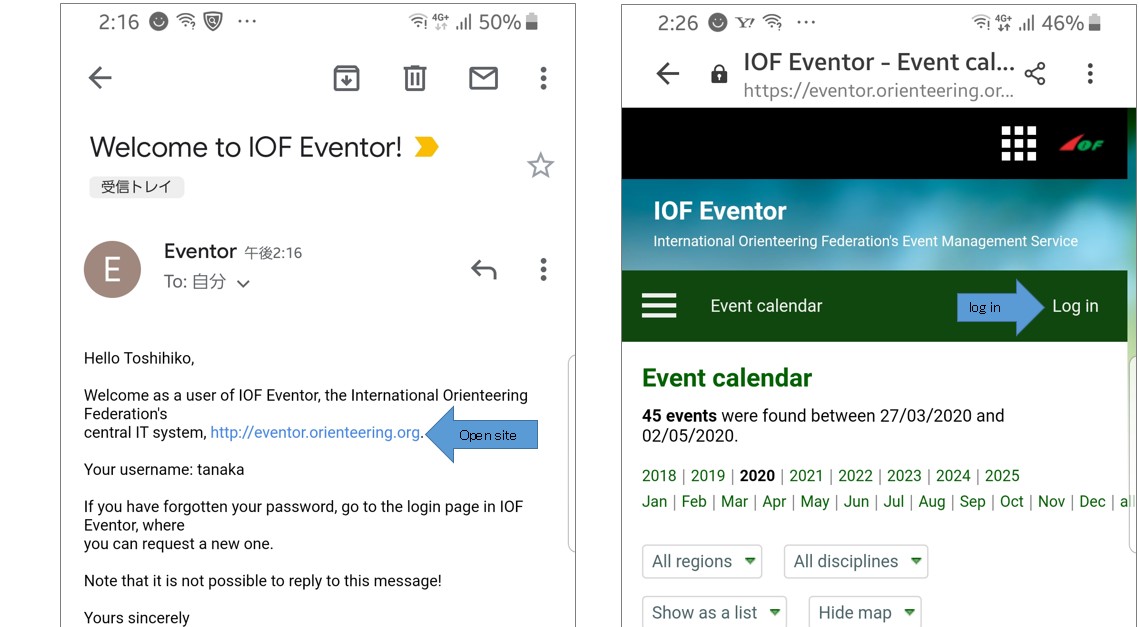
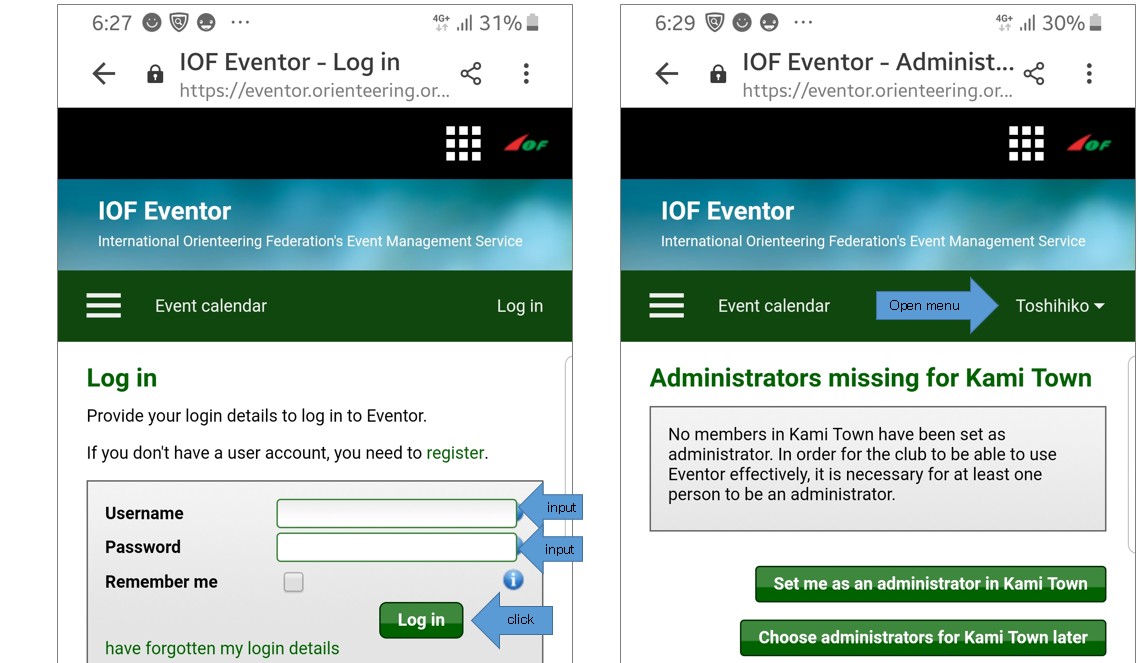
(10)Log in with the login name and password registered in (4). (11)"Log in" changes to the name "Toshihiko". Open the menu.
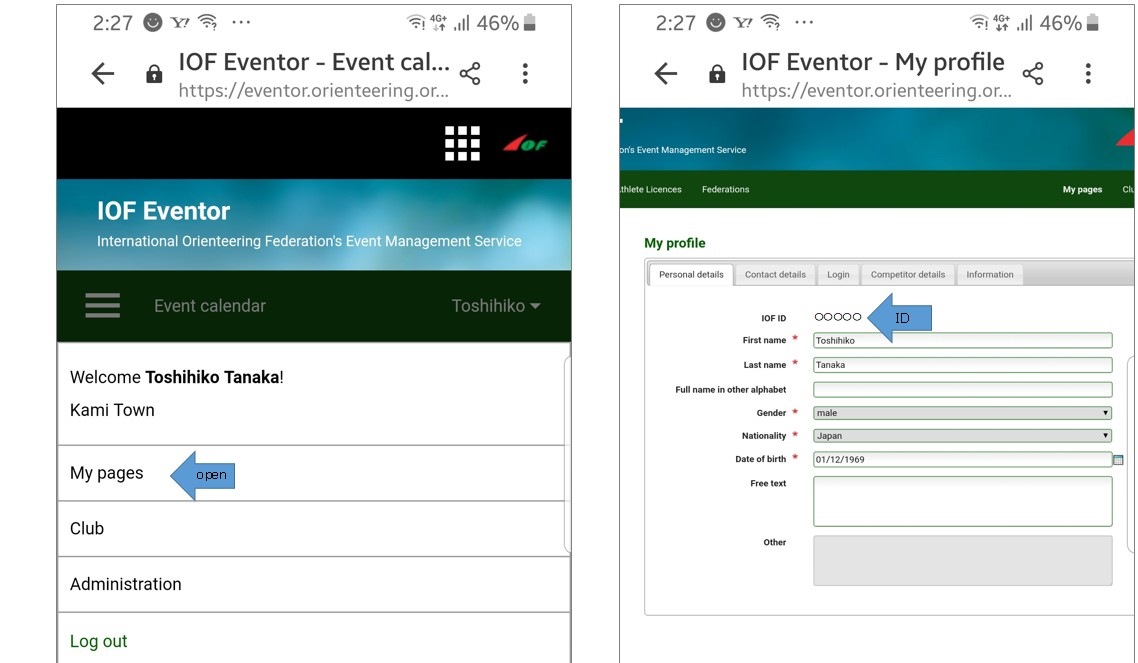
(12)Open “My Page”. (13)ID 5 digits can be confirmed.
ダウンロード
この記事に関するお問い合わせ先
教育委員会 生涯学習課
〒667-1392
兵庫県美方郡香美町村岡区村岡390-1
電話番号:0796-94-0101
お問い合わせ
- みなさまのご意見をお聞かせください
-